
MFA - How and why do you have to prove your identity?
Let's talk about something super important for keeping your company safe and sound in this digital world: Multi-Factor Authentication (MFA).
The Lock and Key Just Isn't Enough Anymore
You lock your office door, right? You might even have an alarm system. In the digital realm, your username and password are like that single lock. The problem? Hackers are getting incredibly sophisticated, and passwords alone just aren't cutting it anymore. Phishing attacks, stolen credentials, brute-force attempts – they're all real threats that can compromise your business accounts, leading to data breaches, financial losses, and a whole lot of headaches.
That's where MFA comes in. It's like adding a deadbolt, a security camera, and a guard dog to your digital assets.
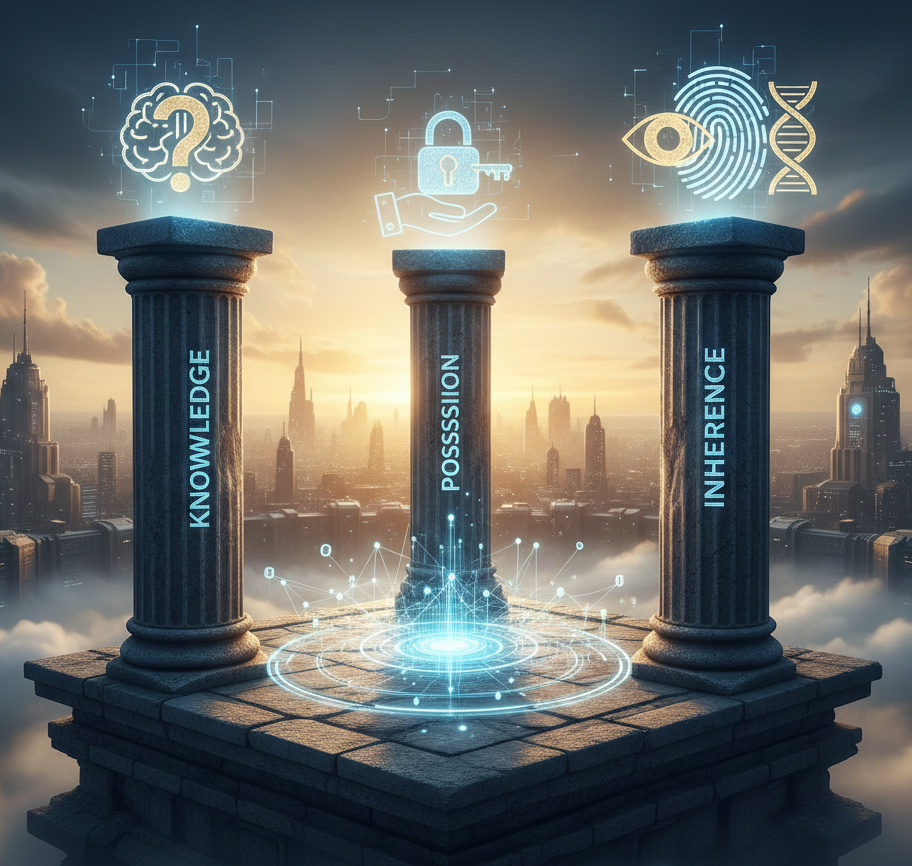
The Three Pillars of Identity Verification
At its core, MFA works by asking for more than one "proof" of identity before granting access. It's based on three categories of verification elements. You'll need at least two of these for true multi-factor authentication:
Something You Know: This is your classic password, PIN, or even a secret question answer. It's information that only you should know.
Something You Have: This refers to a physical item that's in your possession. Think of your smartphone (for receiving codes), a hardware token (like a USB key), or a smart card.
Something You Are: This is where biometrics come in. It's a unique physical characteristic of yours, like your fingerprint, facial scan, or iris scan. Ideally this is something that is unique and doesn’t change about you.
By requiring a combination of these (e.g., something you know and something you have), even if a hacker gets one piece of the puzzle, they're still locked out.
MFA Options for Your Business Accounts
So how does this actually look in practice for your business? Here are some common and effective MFA options you can implement:
SMS/Text Message Codes: You log in with your password, and then a unique code is sent to your registered phone number. You enter that code to gain access. (Easy to set up, but slightly less secure as SMS can sometimes be intercepted).
Authenticator Apps: Apps like Google Authenticator, Microsoft Authenticator, or Authy generate time-based, one-time passwords (TOTP). You open the app, get the code, and enter it. (More secure than SMS as codes aren't transmitted over the network).
Hardware Security Keys: These are small physical devices (often USB sticks) that you plug into your computer or tap to your phone. They're incredibly secure and very resistant to phishing. Examples include YubiKey or Google Titan Key.
Biometrics: While less common for initial login to many business web applications, biometrics like fingerprint or facial recognition are often used to unlock a device (your phone or laptop) that then stores other credentials or authenticates you to an app.
Guiding Principles for Strengthening Access Controls
Implementing MFA is a fantastic step, but it's part of a bigger picture. Here are some general principles to help you strengthen all your access controls:
Assume Breach (and Prepare for It): Don't think "it won't happen to me." Think "what if it does, and how will we minimize the damage?" MFA is a huge part of this proactive mindset.
Least Privilege Access: Grant employees only the minimum level of access they need to do their job, and nothing more. Don't give everyone admin rights "just in case."
Regular Reviews: Periodically review who has access to what. When an employee changes roles or leaves the company, their access should be adjusted or revoked immediately.
Educate Your Team: The best tech in the world is useless if your team isn't on board. Train them on why MFA is important, how to use it, and how to spot phishing attempts.
Use Strong, Unique Passwords (Even with MFA): MFA is powerful, but a strong, unique password for each account (managed with a password manager ideally) is still foundational. Don't recycle passwords!
Centralize Management - SSO (Where Possible): If you can manage user accounts and MFA settings through a central system (like Microsoft 365 or Google Workspace), it makes things much easier for you.
Don't Wait – Protect Your Business Today!
Running a small business means you've got a million things on your plate. But cybersecurity, especially something as effective and relatively simple to implement as MFA, is not something you can afford to put off. A single data breach can cost you dearly in terms of reputation, customer trust, and even regulatory fines.
Most major online services (email, cloud storage, accounting software) offer MFA as an option. Turn it on for everyone in your organization. Make it a requirement. Your future self, and your secure business, will thank you.
If you have questions about setting up MFA or want to explore the best options for your specific business, don't hesitate to reach out! That's what your friendly IT consultant is for!